Ubuntu 24.04 LTS 折腾记录
给笔记本装了个双系统,记录一下
安装
教程很多懒得写了,我使用的工具是ventory,由于装双系统之前已经分了盘所以用diskgenius重新分配了一下空间。
输入法
雾凇输入法 我使用的框架是fcitx5
禁用shift切换中英文快捷键
找到rime目录,把default.yaml里面的ascii_composer: switch_key: Shift_L设定为noop
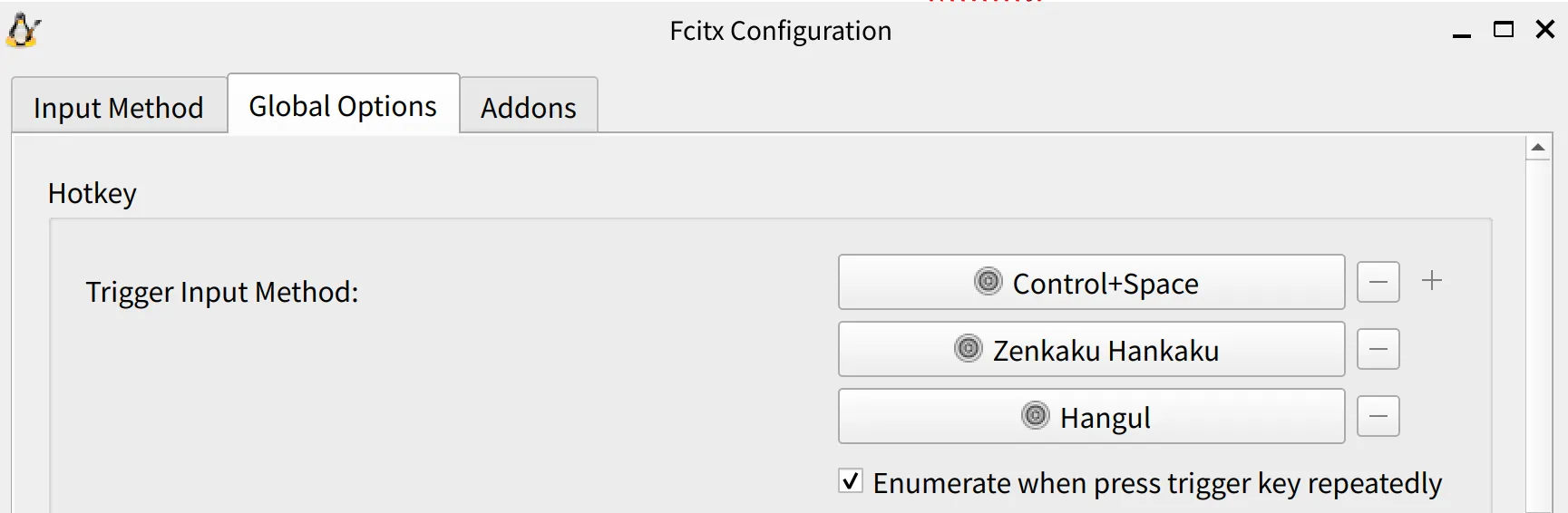
我更习惯用ctrl+空格,可以这样设置:
截图软件
sudo apt install flameshot
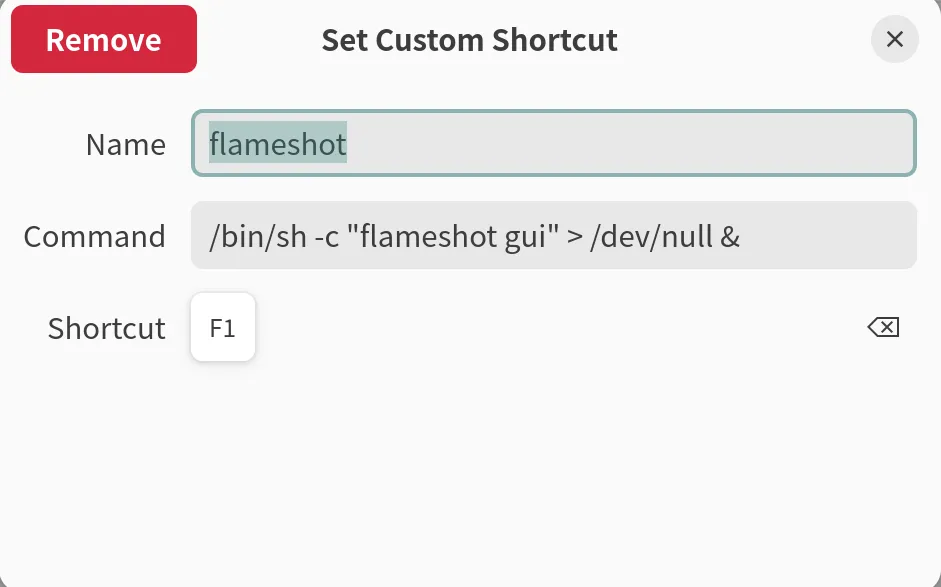
解决截图失败问题
设置自定义快捷键
桌面优化
新窗口居中出现
Tweaks > Windows > center new windows开启
点击dock图标时最小化窗口
tl;dr:
gsettings set org.gnome.shell.extensions.dash-to-dock click-action 'minimize or previews'终端
杂项
解决picgo上传图片失败问题
sudo apt install wl-clipboard摆脱snap
解决荣耀笔记本触控板无法使用问题
感谢Mitchell大佬的帮助🙏
电脑型号:荣耀Magicbook Art 14
sudo apt install libinput-bin libinput-tools
sudo mkdir -p /etc/libinput
sudo nano /etc/libinput/local-overrides.quirks
然后往里写:
[MagicBook Art 14]
MatchName=*TOPS0102*
ModelPressurePad=1
AttrEventCode=-BTN_RIGHT